
Can mobile games still be played after the phone is turned off?
Many mobile game players have had this thought: If they turn off their phones when going to bed at night, can the game still be left idle? If the phone runs out of battery, will the auto-battle, resource collection or task progress in the game continue?
The answer is:If a mobile phone is completely shut down, it usually cannot continue to run the mobile games installed on this machine.
Android games rely on the device's processor, memory, operating system and network connection. When the phone is completely turned off, these operating conditions are no longer available and the game process will also stop accordingly.
However, many people tend to confuse the following three states:
Turn off the screen The phone is still on, but the system and some applications may continue to run.
Lock the mobile phone Whether the background applications continue to run when the mobile phone enters the lock screen state depends on the system Settings and game mechanics.
Shut down completely The Android system has stopped running, and the local game cannot continue to execute.
The effects of these three states on game idling are completely different.
If you want the game to keep running when you are not using your phone, you need to choose an appropriate method based on your actual needs.
What are the differences between a mobile phone being turned off, having its screen locked, and running in the background?
Mobile phone status | Whether the game can continue to run | Whether it depends on the local machine to run |
|---|---|---|
The screen is off. | Some games can | is |
Mobile phone lock screen | Some games can | is |
Switch to another application | It depends on the game and the system | is |
The mobile phone enters power-saving or sleep mode | May be restricted | is |
The mobile phone is completely shut down. | No way | is |
The local connection of the cloud phone is disconnected | Cloud gaming may continue to run | no |
It should be particularly noted here that turning off the screen does not mean the phone is turned off.
The Android system has power management mechanisms such as Doze and App Standby, which will delay some background CPU activities, network access and task execution based on whether the device is idle.
Therefore, even if the phone is still on, it cannot be guaranteed that all games will continue to run in the background.
Iii. Why do games stop after the phone is turned off?
Mobile games are not programs that run independently of devices. It relies on multiple hardware and software components.
1. The mobile phone processor has stopped working
The operation of a game requires a CPU to execute program instructions and may also need a GPU for picture rendering.
After the phone is completely shut down, the normal Android application running environment has stopped, and the game cannot continue to perform operations such as auto-battle, character movement or resource collection.
2. The Android system is no longer running
Android applications require the operating system to provide a running environment, including memory management, application process scheduling, network access and system services.
After the mobile phone is turned off, the application process no longer exists, so the game cannot continue to run in the background of the local machine.
3. The game network connection is interrupted
Most online mobile games require a connection to the game server to synchronize character status, task progress, battle results and other data.
After the mobile phone is turned off, the network connection of this device will also stop. Even if the game server is still operating normally, it will not automatically continue to operate the game for players just because the server is online.
4. Auto-battle does not mean offline operation
Some games offer auto-battle, auto-pathfinding or idle features, but these functions usually still require the game client to stay running.
For example:
"Automatic monster killing;
Automatically collect resources;
Automatically complete daily tasks;
"Auto-battle;
Wait online for the event to start.
If the game does not offer a genuine offline earnings mechanism, these operations usually stop after the phone is turned off.
It should be distinguished that some games will calculate offline revenue on the server side. Even if players quit the game or turn off their mobile phones, characters may still obtain certain resources. However, this belongs to the offline mechanism of the game itself and does not mean that the game client is still running.
Iv. Can mobile games still be played after the phone screen is locked?
Unlike a complete shutdown, it is still possible for games to continue running after the phone screen is locked.
If the game supports background activities and the Android system does not restrict its operation, some tasks can continue to be executed after the screen is locked.
You can try the following methods.
Method 1: Adjust the battery usage permission of the game
Open your phone's Settings, find App Management, select the corresponding game, and then check the battery usage Settings.
If the system provides the following options, they can be adjusted according to actual needs:
Allow background activities;
Unrestricted;
Do not optimize the battery;
Allow background operation.
The specific name depends on the mobile phone brand and the Android version.
Note: Disabling battery optimization may increase power consumption and does not guarantee that the game will always be online.
Method 2: Allow the game to use the background network
Check whether the game has restricted the use of background data.
Suggested confirmation:
Whether Wi-Fi is allowed;
Whether the use of mobile data is allowed;
Whether to enable background data restrictions;
Has the data-saving mode been enabled?
If the game disconnects after the screen is locked, you can first check these Settings.
Method 3: Turn off the overly strict power-saving mode
The power-saving mode of some mobile phones will restrict the activities of background applications.
If you need to leave the device on, you can check whether functions such as Super Power Saving, application sleep, or background automatic cleaning have been enabled.
However, it is not recommended to turn off all power-saving protections for a long time. Running games for a long time may increase the phone's heat and the burden on the battery.
Method 4: Reduce the number of background applications
When the phone's memory is insufficient, the Android system may reclaim background application processes.
Closing unnecessary applications and avoiding running multiple large games simultaneously can help reduce the probability of games being cleared by the system.
The official Android documentation states that the lifecycle of application processes is managed by the system based on factors such as process importance and available memory. Background processes cannot be guaranteed to survive permanently.
Method 5: Confirm whether the game supports lock screen auto-play
The degree of support for background operation varies among different mobile games.
Some games support auto-battle, but it will pause after switching applications. Some games allow the game to be locked and left idle for a period of time. Some games will automatically disconnect after a long period of no interaction.
It is recommended to first test the game's status after locking the screen for 10 minutes, 30 minutes and longer, and then determine whether it is suitable to be left idle for a long time.
V. If you want to turn off your mobile phone, how can you keep the game running?
If your true need is:
I don't want my phone to be on all the time when I go to sleep at night.
I don't want the game to keep draining my phone's battery.
I don't want my phone to get hot for a long time.
When using a mobile phone during the day, I hope the game is still running.
Hope to be idle for a long time or manage multiple game environments.
Then, simply adjusting the Android background Settings might not meet the requirements.
One alternative way is to use Android cloud phone。
The core principle of cloud phones is to deploy the Android operating environment on cloud servers, and install and run games on cloud devices rather than on your physical phone.
VMOS Cloud Phone Official Website - 7*24h Cloud Hosting - Smooth, stable and Low price - The ultimate mobile game hosting tool
This mode is significantly different from the ordinary mobile phone idle mode:
Physical mobile phone hanging up
Turn on the mobile phone → Start the game → Keep the device running → The game runs on the local machine.
"Cloud phone idle:
Start the Android device in the cloud → Install and start the game → The game runs in the cloud → Remote access from the local device.
Therefore, when you exit the remote connection or even turn off your physical phone, as long as the cloud device and the game are still running normally, the game may continue to run.
This is also the main reason why cloud phones are suitable for scenarios where the device is left on for a long time.
However, it should be noted that a cloud phone does not mean that the game is always online. Cloud devices may be affected by rental duration, service status, network connection and resource limitations. Games may also be disconnected due to server maintenance, account timeout or their own rules.
Vi. What are the differences between cloud phones and physical phones when left on?
If you are considering whether to use a cloud phone, you can make comparisons from the following aspects.
"Comparison project" | The physical mobile phone is left on | The cloud phone is left on |
|---|---|---|
Game running location | Local mobile phone | Cloud-based Android device |
Does the local mobile phone need to be turned on | Usually needed | There is no need to run the game continuously |
Local battery consumption | It is relatively high, depending on the operation mode | Mainly from remote connections |
The local mobile phone is overheating. | It may be obvious after long-term operation | The game is mainly loaded in the cloud |
Remote access | Affected by the status of the equipment | Remote access is usually supported |
Multi-device management | Multiple physical devices are needed | It depends on the cloud phone package |
Usage cost | Equipment, electricity charges and maintenance costs | Cloud equipment rental fees |
Suitable scenarios | Daily gaming and short periods of idling | Long-term operation and multi-device management |
Which users are suitable for using physical mobile phones?
If you only occasionally switch apps, do short idle games, or the game itself supports offline earnings, then a physical phone might be sufficient.
Which users are suitable for using cloud phones?
If you want your local phone to no longer handle game running tasks or need to manage multiple game environments for a long time, then a cloud phone is worth considering.
Especially for mobile game players who need long-term auto-combat, resource accumulation and remote management, tests can be conducted based on game compatibility and service costs.
Vii. Cirroplay Cloud Phone: Games can run continuously without relying on local phones
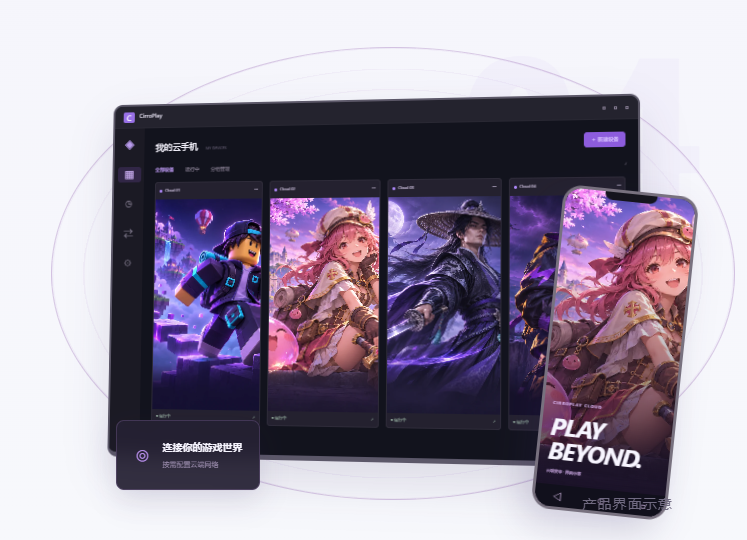
If you hope to still be able to run Android games through the cloud environment after turning off your physical phone, you can learn about it Cirroplay。
Cirroplay offers a cloud-based Android device environment, allowing users to remotely connect and manage cloud phones through supported access methods.
For mobile game players, the following usage scenarios can be given particular attention:
1. Reduce the operational burden on local mobile phones
Traditional idle games require physical mobile phones to continuously run games, while cloud phones place the main game running tasks in the cloud.
Local devices do not need to maintain the game screen all the time, nor do they have to bear the main resource consumption of game operation for a long time.
2. Suitable for scenarios where games run for a long time
If the game supports auto-battle, auto-gathering or idle mechanisms, it can run in the cloud Android environment.
This enables players to remotely view and manage the game status without their local mobile phones participating in the game's operation.
However, the actual operating duration depends on the validity period of the cloud device, the service status, and the game's own mechanism.
3. Support cloud device management scenarios
For users who need to manage different gaming environments, they can further learn about Cirroplay's multi-device usage capabilities.
It is necessary to distinguish between multi-device management and single-device multi-opening, as the two are not the same. The actual number and functions of supported devices should be subject to the current product solution.
4. Remote access is more flexible
Through the supported access entry, users can connect to cloud devices when needed to check the game status and perform operations.
This means you don't have to keep holding your physical phone all the time to check the game progress.
Start learning about Cirroplay
"Visit"Cirroplay official websiteIt is recommended to confirm whether the target game is compatible, whether the configuration of the cloud device meets the requirements, as well as the validity period and operation restrictions of the service package before use.
Viii. What should be noted before using a cloud phone to hang up?
Cloud phones can solve the problem of continuous game operation on local devices, but they are not suitable for all games and scenarios.
1. Check game compatibility
Different games may have different requirements for Android versions, device models, graphics performance and operating environments.
It is recommended to first confirm whether the game can be installed, started and logged in normally.
2. Confirm the game account rules
Some games have explicit restrictions on multiple accounts, automated operations, simulation environments or third-party tools.
Before using a cloud phone, you should read the game service terms to avoid violating the game rules.
3. Pay attention to the operating duration of cloud devices
Confirm whether the package supports the runtime you need and whether there are any device expiration, automatic release or maintenance arrangements.
4. Test the game's network connection
The location of the cloud device, the area of the game server, and the quality of the network all affect the connection experience.
It is recommended to conduct actual game tests first instead of making judgments merely based on the online descriptions in the promotion.
5. Distinguish between online games and online devices
Just because a cloud phone is online doesn't mean the game is always online.
For instance, the game might exit due to the expiration of an account session, or it could not be connected because of server maintenance. Therefore, it is best to conduct a small-scale test before leaving the device on for a long time.
Ix. Frequently Asked Questions (FAQ
Will the game continue to run after the phone is turned off?
No. After the phone is completely shut down, both the Android system and the local game process will stop. Unless the game itself provides offline revenue on the server side, this machine will not continue to perform game operations.
2. Can the game still run after the phone screen is locked?
Some games are possible, but it depends on the Android backend management strategy, game design and network status. Locking the screen does not mean a complete shutdown.
3. Will the game continue to be left idle after the phone runs out of power and shuts down automatically?
No. When the phone's battery runs out, the device will shut down and local games cannot continue to run. The game server may save the data that was synchronized before the shutdown, but it will not automatically continue to perform local operations for you.
4. Can a cloud phone continue to run games after the local phone is turned off?
It can be achieved when the conditions are met. The game runs on cloud-based Android devices rather than local mobile phones. Therefore, turning off the local mobile phone does not necessarily affect cloud operation, but the cloud device and the game itself must remain in a normal state.
5. What's the difference between a cloud phone and remotely controlling one's own mobile phone?
Remote control usually relies on a constantly powered physical mobile phone, while cloud phones use an Android runtime environment deployed on a server. The two differ in terms of device dependency, resource usage and management methods.
6. Can all mobile games run on cloud mobile phones?
No guarantee. Game compatibility is affected by factors such as Android version, device configuration, game version and operator rules. It is recommended to test before purchasing or long-term use.
7. Do I need to be constantly connected to the network when using a cloud phone to leave it on?
Cloud gaming requires a normal connection to the game server, while local devices need a network to remotely access the cloud phone. Even if the local connection is disconnected, cloud gaming may still continue to run, but it depends on the mechanism of the cloud phone service.
8. Can cloud phones keep mobile games connected 24 hours a day?
No guarantee. Cloud phones can provide an environment for long-term operation, but they cannot rule out issues such as game server maintenance, network failures, account timeouts, and the game's own limitations.
X. Conclusion: After a mobile phone is turned off, local games cannot continue to run, but cloud phones offer another option
After the phone is completely shut down, local Android games cannot continue to run. Locking the screen and running in the background are another matter. Some games can continue to perform tasks while the phone remains on, but they may be restricted by Android's power-saving mechanism, memory management, and the game's own rules.
If you want the game to still have a chance to run after turning off your phone, you can consider an Android cloud phone.
By deploying the game on a cloud-based Android device, you can reduce the running burden on your local phone and remotely connect and manage the game when needed.
Cirroplay offers players who wish to use the cloud-based Android environment another option for running games. Before making a choice, it is recommended to first confirm the game compatibility, device operating time, package cost and service limitations.